Feature
AMS data transfer
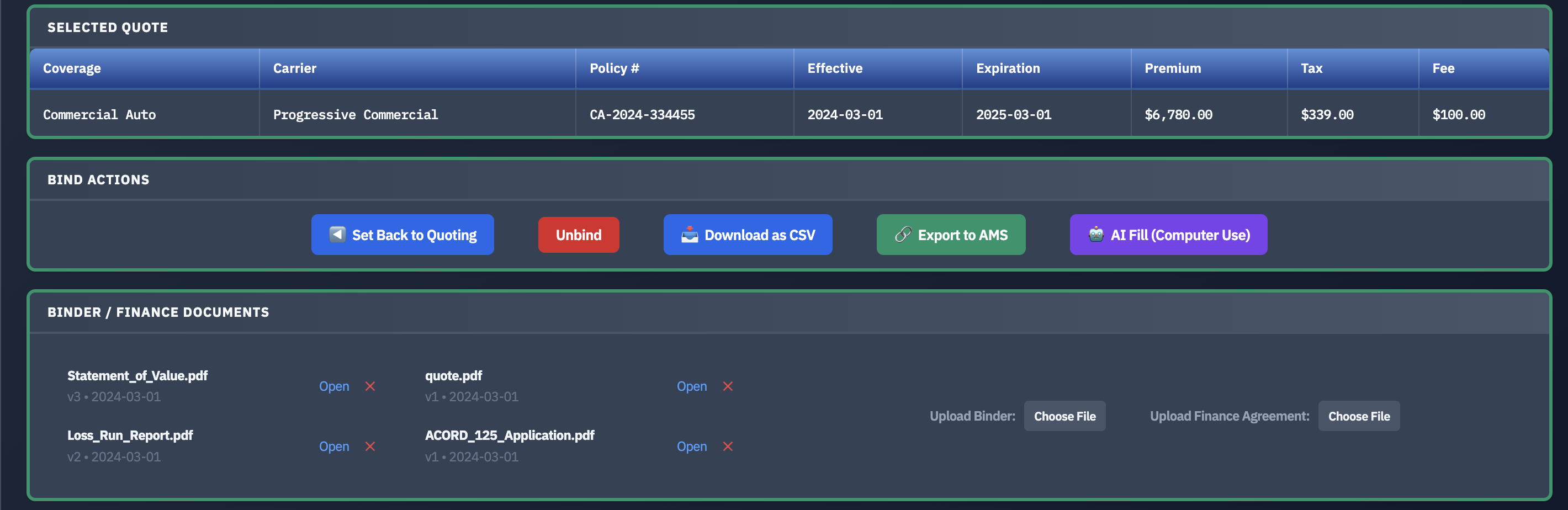
At bind, the finalized data moves into your agency management system — no rekeying, no missed fields, no copy-paste. It works alongside Applied Epic, AMS360, or whatever you use, with no license changes required.
The problem it solves
Rekeying bound-policy data into the AMS by hand is slow, and it's a quiet source of errors-and-omissions exposure. The information was correct when it left the carrier; the risk is introduced in the copying — a transposed limit, a dropped endorsement, a mistyped effective date. That error is now embedded in the system of record and flows into documents, certificates, and summaries, often surviving every casual review until a claim is filed and the coverage doesn't match what the client expected. It's the least glamorous step in the whole workflow and the most error-prone.
It's also pure duplication. The same figures were already read off the quote, compared, and confirmed at bind — and now they're typed one more time into another system. Multiply that across every submission, renewal, and endorsement and manual AMS entry becomes a meaningful drag on both time and the agency's E&O profile.
How it works
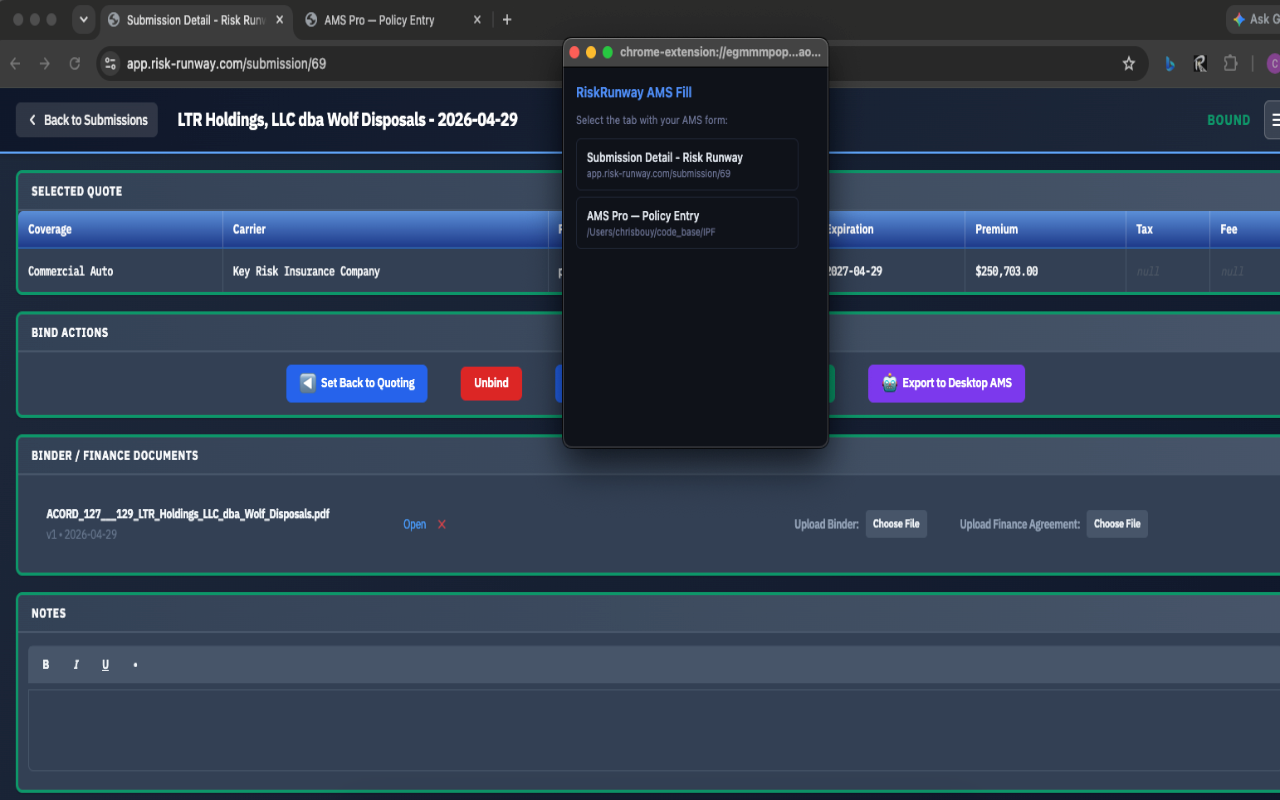
Because the data was captured once — parsed from the quote through PDF quote parsing and carried through comparison — it's already clean by the time you bind. Risk-Runway then reads your AMS screen the way an employee would and fills it in for you, so the final step is automated rather than retyped.
- No rekeying — data captured once flows straight through to the AMS.
- No license changes — nothing to install on the AMS side, no special access, nothing that puts your license at risk.
- Works with basically any AMS screen — including Applied Epic and AMS360 — not a short list of supported systems.
- Review before it lands — you can check the data before it's written into your system of record.
Why "no license changes" matters
A common worry with any tool that touches the AMS is whether it jeopardizes the license or requires a vendor's blessing to set up. Because Risk-Runway fills the AMS screen the way a person would — rather than plugging into the AMS through a special integration — there's nothing to install on the AMS side and no approval process to wait on. Setup is measured in days, not months. And since it never replaces or touches the license, walking away is as simple as no longer logging in; there's nothing to unwind.
Why it matters
This is where a lot of E&O risk lives, so automating it saves time and reduces liability at the same time — a rare case where the faster path is also the safer one. The data that was captured from the document is the same data that lands in the AMS, with no human retyping step in between to introduce a mistake. We cover the risk side of this in depth in reducing E&O exposure from manual AMS data entry.
Frequently asked questions
Does this require changes to our AMS license?
No. It reads your AMS screen the way an employee would and fills it in — nothing to install on the AMS side, no special access, nothing that risks your license. Discontinuing it is as simple as no longer logging in.
Which agency management systems does it work with?
Basically any AMS screen, including Applied Epic and AMS360, because it fills the screen the way a person would rather than relying on a system-specific integration.
How does automating AMS data entry reduce E&O risk?
Manual rekeying is where transcription errors enter the record. Because data is captured once and carried forward, what lands in the AMS matches what the carrier sent — removing the retyping step where most of that liability is created.
See it fill in your AMS
We'll show the hand-off into a management system live. 20 minutes, no pressure.
Request a Demo